

Designing a faculty onboarding experience to drive 33% higher course completions at the University of Miami
PRODUCT
Learning Experience, EdTech
TIMELINE
2021
ROLE
UX Designer & Subject Matter Expert
FORMAT
Web
TEAM
One other designer
IMPACT
Achieved 33% higher course completion rates and 68% fewer student complaints by designing a self-paced faculty onboarding course that transformed online teaching quality for 40,000+ students.
Teaching Online Workshop
University of Miami faculty were struggling with online teaching. Professors unfamiliar with digital pedagogy were creating confusing, inconsistent courses—broken links, incorrect due dates, missing grades—leading to student frustration and overwhelming support requests. Students, many of them digital natives, expected to find everything online. Faculty, uncomfortable with technology, often bypassed the LMS entirely.
As UX Designer and Subject Matter Expert, I co-designed a self-paced faculty onboarding course that transformed teaching quality—combining user research with instructional design to create scalable, evidence-based training focused on accessibility, communication, and Learning Management System (LMS) fundamentals. The course achieved 33% higher completion rates and 68% fewer student complaints, while giving faculty a referenceable resource they could return to throughout the semester.
Problem
The Teaching Online Workshop was created in response to a consistent pattern: University of Miami faculty were struggling to transition to digital teaching, and students were paying the price.
Student complaints were surging. Courses had broken links, incorrect due dates, and missing grades. Students couldn't track their progress or know their final standing in classes. Faculty, many of whom preferred in-person instruction, found the LMS confusing and often bypassed it entirely—relying on paper handouts and verbal communication instead.
This created a disconnect. Students expected to find everything online. Faculty, uncomfortable with technology, often expressed that it was "hard for their generation to adapt." The gap between expectations and reality was affecting course completion rates and overwhelming support teams.
What Research Revealed
Through student research and faculty feedback, we identified critical issues:
Technical Errors
Broken links, incorrect due dates, grades not posted, students unaware of final standings led to confusion, anxiety, and support ticket floods.
Faculty Bypassing the LMS
Professors found the system confusing and preferred emails and verbal communication, which students easily missed or forgot.
Generational Technology Gap
Faculty often stated technology was "hard for their generation," while students (digital natives) expected and preferred online access to course materials.
Lack of Online Community
Students felt isolated in online courses, unable to form connections with classmates because faculty didn't create space for interaction.
No Scalable Training
Support was offered through live workshops with inconsistent attendance. Recordings lived in disjointed areas with no central resource.
These issues created a cascade of problems: lower completion rates, student dissatisfaction, overwhelmed support teams, and faculty frustration.
My Role
Product Design
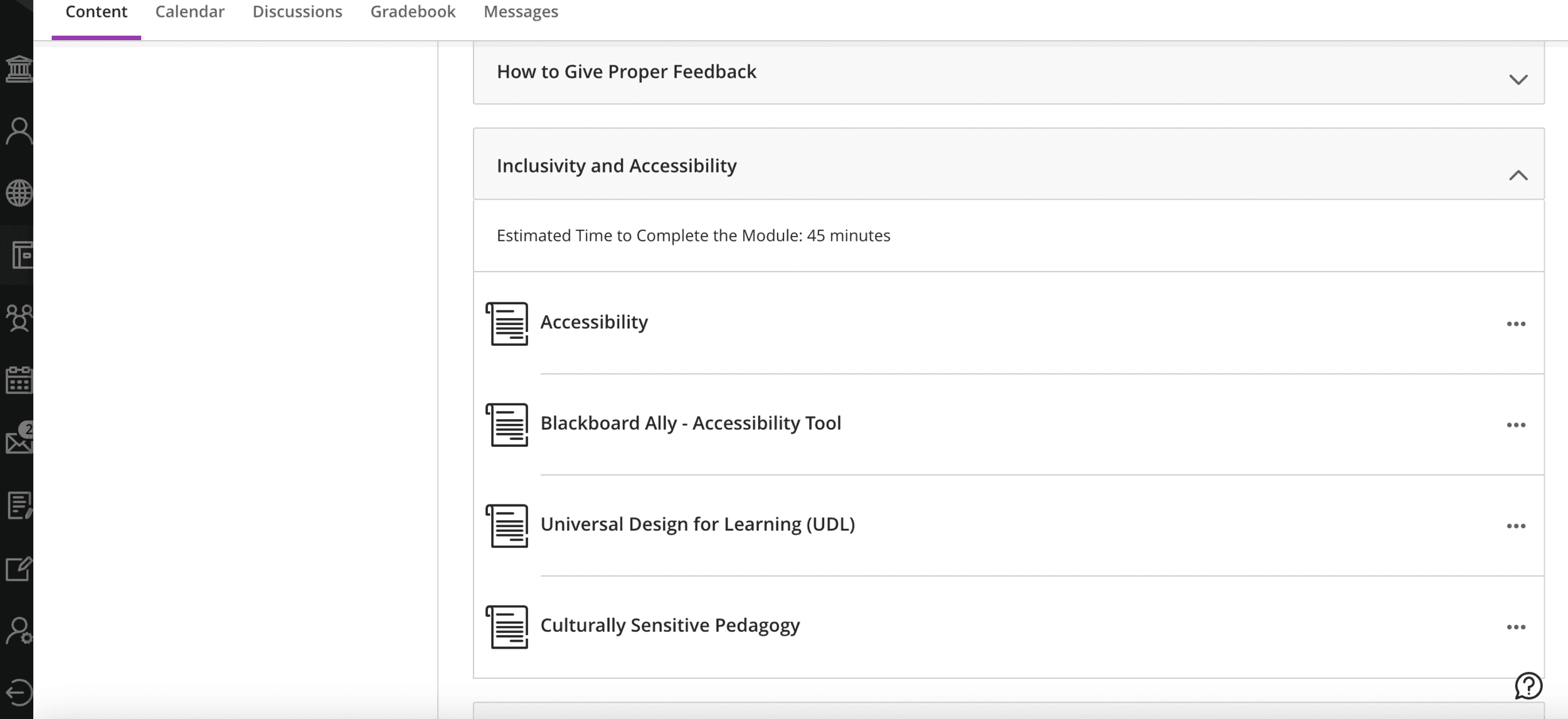
Co-designed course experience and defined content architecture. Created self-paced, modular structure in Blackboard Ultra.
User Research
Conducted student interviews, analyzed surveys and focus group data. Mixed-method approach with 60-minute Zoom interviews across undergrad and graduate students.
Content Design
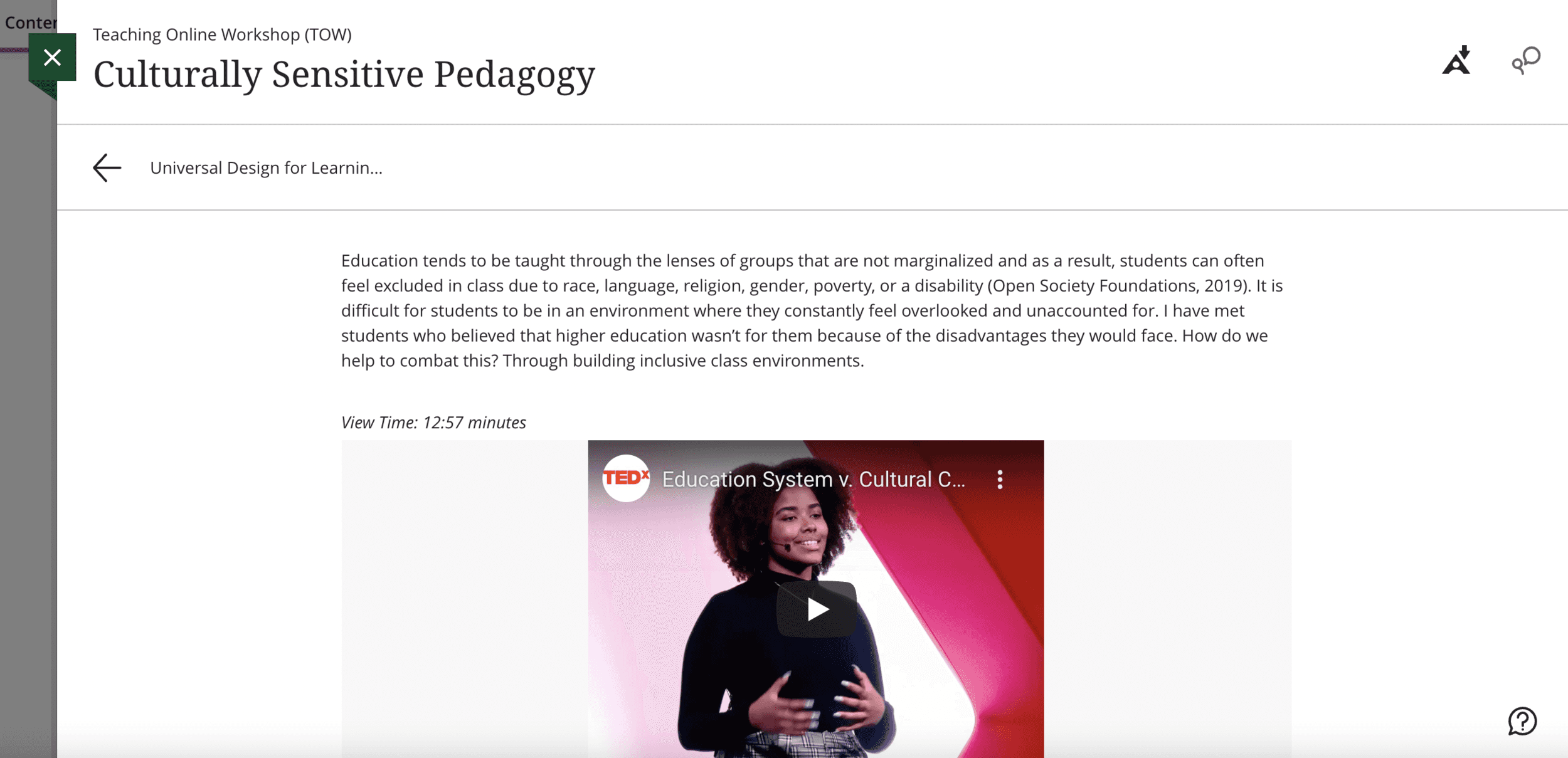
Wrote and structured modules on communication, accessibility, academic integrity, and inclusive practices. Created multiple format options (text, video, audio).
Instructional Design
Applied evidence-based pedagogy and cited research for academic credibility. Designed learning experience that respected faculty expertise while addressing skill gaps.
Collaboration
Worked with another designer to divide content and refine delivery. Piloted course with faculty champions before full launch.
Who I Designed For
University of Miami faculty, primarily those new to online teaching or uncomfortable with technology. Many were seasoned educators with deep subject expertise but limited digital pedagogy training. They had varying schedules, busy teaching loads, and often expressed anxiety about adapting to technology. Design training that respected their expertise while addressing their technology gaps, without making them feel patronized or overwhelmed.
Design Process
Research
I worked with our team to conduct comprehensive research with students and faculty to understand the full picture.
Research questions:
What is the student experience of online learning at UM since the 2020 switch?
What are student views on EdTech tools currently used in courses?
What are their experiences with instructors across teaching modalities?
Are there different experiences between undergrad and grad students?
Are TAs being trained to support students?
Method: Mixed-method approach. We recruited students from across campus for 60-minute Zoom interviews (ages 18-34, sophomores through graduates, all modalities). Students completed background surveys before interviews to help us understand their context.
Key Insights
Students couldn't find their grades or stay updated on course progress. They felt disconnected from classmates in online settings because faculty didn't create space for interaction—no discussion boards, no breakout activities, no community-building. The tools existed, but faculty didn't know how to use them.
Faculty, meanwhile, felt overwhelmed by the LMS. They didn't know where to start, were embarrassed to ask for help, and defaulted to familiar analog methods even though students couldn't access them reliably.
This validated our hypothesis. Faculty needed structured, shame-free training that met them at their skill level and showed them why digital tools mattered for student success.
DESIGN PROCESS
Content Strategy
Working with another instructional designer, we divided the course content based on our expertise. I was responsible for modules on feedback, accessibility, academic integrity, inclusive practices, and communication. My colleague focused on LMS-specific content (assignments, assessments, analytics).
Design Decision: Self-Paced, Modular Structure
Live workshops weren't working. Faculty had busy, varying schedules and couldn't attend consistently. Recordings existed but were scattered across different platforms with no organization.
I designed a self-paced course in Blackboard Ultra where faculty could learn on their own time, navigate between topics freely, and return to reference materials throughout the semester. Faculty needed to feel in control of their learning pace. Many felt anxious about technology, forcing them into timed sessions added pressure. Self-paced learning allowed them to explore, make mistakes privately, and build confidence without judgment.
DESIGN PROCESS
Learning Experience
Design Decision: Mix of Text, Video, and Audio
Faculty, like students, have different learning preferences. Some prefer reading, others watching demonstrations, others listening while multitasking.
I designed each module to include:
Written content for those who prefer reading and want to reference later
Video demonstrations for visual learners who needed to see processes step-by-step
Audio options for faculty who wanted to learn while commuting or between meetings
I also added time estimates for each module to help faculty set expectations and plan their learning. For a busy professor, knowing "this module takes 15 minutes" made it feel manageable rather than overwhelming.
DESIGN PROCESS
Academic Credibility
Design Decision: Evidence-Based Content with Citations
Our audience was highly academic, professors who valued research and evidence. I couldn't just tell them "do this because we say so." They needed to see the pedagogy behind recommendations.
I drew on research articles and higher education resources to ground every recommendation in evidence. Each module included citations and references for faculty who wanted to explore topics in greater depth.
DESIGN PROCESS
Course Build
We built the course directly in Blackboard Ultra, the same LMS faculty would use with students. This was intentional: experiencing the LMS as a learner helped faculty understand the student perspective.
The course was modular, allowing faculty to skip to topics relevant to their needs or work through sequentially. We included interactive visuals, real examples from UM courses (anonymized), and practical templates faculty could adapt immediately.
DESIGN PROCESS
Usability Testing
We piloted the course with a small group of faculty known for successful online teaching. We chose them strategically: they had insight into what worked, influence with colleagues, and alignment with our target audience.
We collected feedback through surveys, focusing on:
Was the content clear and actionable?
Were time estimates accurate?
What was missing?
Their feedback helped us refine copy, reorganize modules, and adjust tone before the full launch. The pilot group also became advocates, recommending the course to colleagues.
Impact
33% increase in course completion rates — Students were more likely to finish courses when faculty used clear LMS structures and communication patterns taught in the workshop.
68% decrease in student complaints — Better organized courses with accessible materials reduced confusion and support requests related to course navigation and grade visibility.
Scalable training resource — Faculty could access the course anytime, reference it throughout the semester, and share it with colleagues. This replaced inconsistent live workshops with a centralized, always-available resource.
Reduced support burden — Fewer technical errors and clearer course structures meant support teams spent less time troubleshooting basic faculty issues.
Reflection
What I Learned
Designing for resistance requires empathy, not just usability
Faculty weren't resisting technology because the LMS was hard; they were resisting because they felt anxious and unsupported. The course succeeded because it met them with empathy, not judgment.
The self-paced format, multiple learning modalities, and time estimates all communicated that we understood how overwhelmed and busy they were, meeting them where they were at.
When users resist a system, the problem isn't always the interface; sometimes it's the emotional context around adoption.
Content design is different from UX design, but the principles overlap
I learned to structure information for learning, not just navigation. This meant thinking about cognitive load (how much information can faculty absorb at once?), scaffolding concepts (what do they need to know before they can understand this?), and strategic repetition (how do I reinforce key concepts without being redundant?).
These skills translate directly to product design. Any complex product requires teaching users how it works—onboarding flows, empty states, tooltips. Thinking like an educator made me a better product designer.
Good UX is good teaching. If users can't learn your product, they can't use it.
Evidence-based design builds trust with skeptical users
Evidence-based design builds trust with domain experts. Faculty are academics who critically evaluate everything; they wouldn't accept "best practices" without seeing the research behind them. Citations gave them confidence that recommendations were backed by pedagogy research.
This taught me an important principle: when your users have domain expertise, design rationale becomes part of the UX. Doctors want to see clinical evidence. Engineers want to see technical specs. Experts don't just want solutions, they want to understand why the solution works.
Self-paced learning requires even clearer structure than guided learning
Without an instructor to provide context, every module had to be self-contained, clearly labeled, and appropriately scoped. I couldn't assume faculty would remember content from previous modules or understand connections between topics.
This taught me the importance of progressive disclosure (don't overwhelm upfront; reveal complexity gradually), clear information hierarchy (make it obvious what's essential vs. supplementary), and time estimates (help users make informed decisions about when to engage).
These principles apply directly to product onboarding, documentation, and help content.