
Redesigning TKO’s Olympic hospitality portal to achieve a 14.7% conversion
PRODUCT
Olympic Hospitality Platform, E-Commerce, B2B/Enterprise
TIMELINE
June 2024 - March 2025 (9 months)
ROLE
Senior Product Designer
FORMAT
Desktop
TEAM
Product Designer, Product Manager, Engineers, Quality Assurance, Business Analyst, User Researcher
IMPACT
14.7% conversion, 3 connected Olympic hospitality products, and reusable patterns for LA 2028 planning
Hospitality Request Portal
The Hospitality Request Portal (HRP) is a B2B e-commerce platform where corporate sponsors and partners browse and request Olympic hospitality packages. Originally built for previous Games, the legacy system couldn’t support Milan 2026’s expanded package offerings and complex business rules without a fundamental redesign.
As Senior Product Designer, I co-led a complete UX overhaul alongside another designer, transforming what began as a visual refresh into a full platform redesign. We streamlined package selection flows, rebuilt the information architecture to handle constant business pivots, and established interaction patterns that achieved 14.7% conversion. The design system we created became the foundation for 3 interconnected products: Guest Management, Seat Assignment, and Accommodation Assignment, providing consistency across TKO’s Olympic hospitality ecosystem.

Problem
HRP was a legacy B2B platform that had supported previous Olympic Games, but Milan 2026 introduced new package types and complex business rules the system simply could not accommodate without structural changes. Corporate sponsors needed to request and track hospitality packages accurately; instead, they were running into delays, data mismatches, and risk of revenue loss.
The original ask was a light visual refresh to align with updated brand guidelines, but once we analyzed the existing experience, it was clear that layering new complexity onto broken flows would make the platform unusable.
Foundational usability issues were blocking even basic tasks:
Disjointed flows and redundant paths made it unclear how to “correctly” complete a request, increasing hesitation and rework.
Limited visibility into limits and status meant users hit request caps or blockers with no explanation, undermining trust.
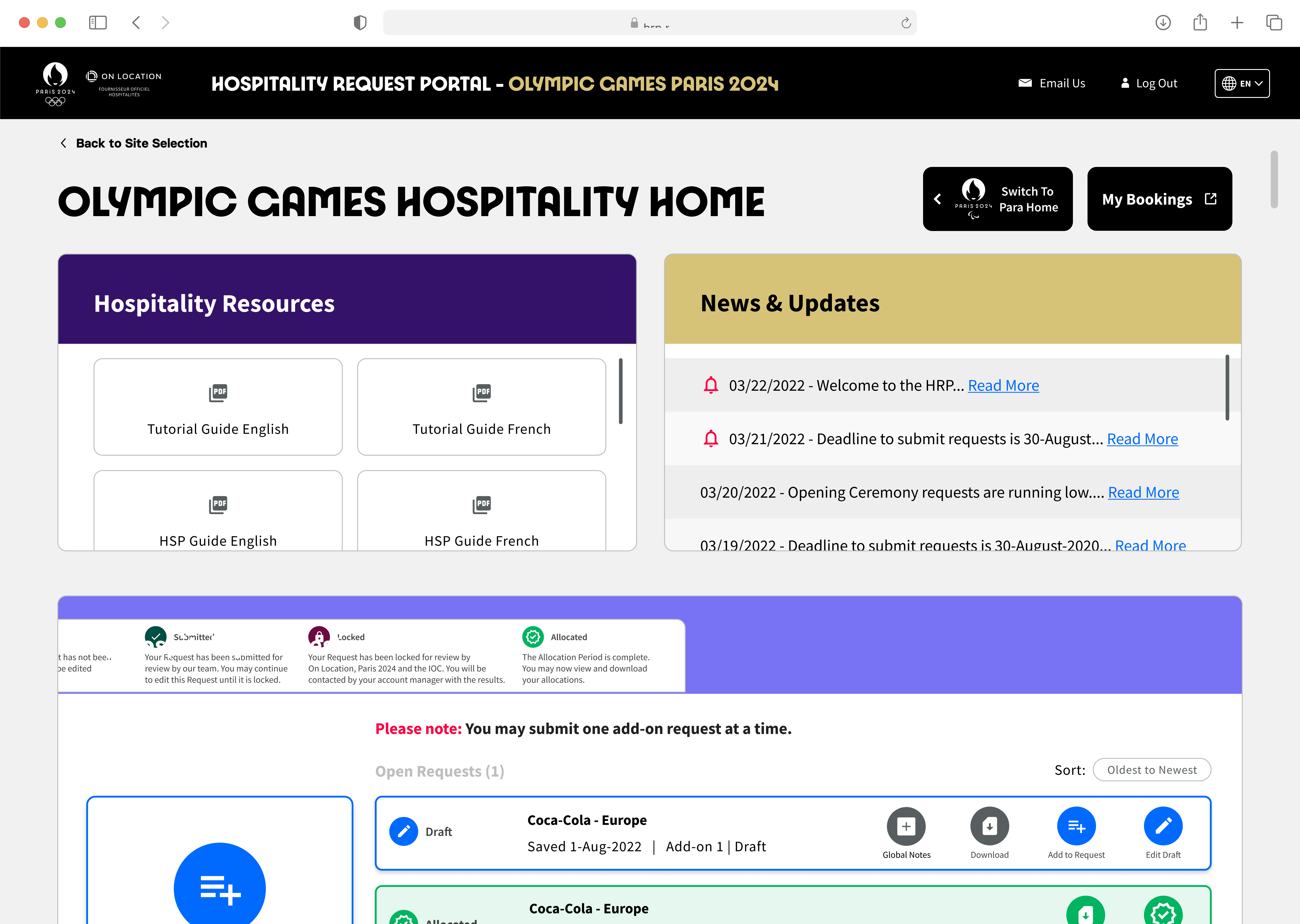
Inconsistent language and scattered actions (for example, duplicate “Edit”/“Draft” controls and floating CTAs) forced users to guess, which was especially painful for non‑technical sponsors.
Mixed approval states with weak filtering and sorting made it hard to prioritize dozens of requests across internal teams and deadlines.
For sponsors managing high-stakes events under tight timelines, these issues meant they struggled to do the most basic work: browse packages, assemble the right combinations, track approvals, and submit on time.
Old Design 1
Old Design 2
My Role
Product Design
End-to-end UX/UI design co-led with another designer. User flows, IA, interaction design, visual design. Responsive patterns for desktop and tablet.
Design System
Built UI component library from brand guidelines. Established color palette, typography, spacing. Annotations for handoff.
Cross-Functional Partner
Partnered with PM, engineers, BA, QA, and researcher. Navigated business pivots. Advocated for users while balancing constraints.
Strategic Influence
Expanded scope from visual refresh to full overhaul. Established patterns adopted across 3 products. Built for unknown requirements.
Who I Designed For
Corporate sponsors, agencies, hospitality managers, and internal teams responsible for coordinating Olympic experiences for clients and employees. They have deep Olympic knowledge but limited technical expertise. Many still prefer spreadsheets. They're juggling dozens of packages for different internal teams, often under extreme time pressure as the Games approach.
Design Process
Discovery & Scope Shift
I worked with the PM and another designer to understand project goals, existing pain points, and technical constraints. The PM initially requested a visual redesign with minimal UX changes due to timeline pressure and development capacity, planning to push deeper UX improvements to a later release.
As we discussed the current user flows for requesting packages, it became clear that Milan 2026's package structure would be fundamentally different from Paris 2024. The existing flow, designed for Paris's simpler offerings, couldn't support Milan's expanded package types and configurations without major structural changes.
The other designer and I made the case that building the same experience twice (quick fix now, proper redesign later) would actually create more work than doing it right the first time. The PM agreed with the logic but was hesitant: their previous process required all designs to be complete before development could start, which would put the launch timeline at risk.
I proposed shifting to an iterative sprint-based approach: we'd spend focused time establishing the information architecture for the full site, then design and hand off key pages to development in phases while continuing to design remaining pages. This would allow development to start earlier and reduce timeline risk.
After discussing the new process, the PM was on board. We secured buy-in for a complete UX overhaul using iterative handoffs instead of a waterfall approach. This approach allowed development to start earlier and kept the project on track for launch despite the expanded scope.
DESIGN PROCESS
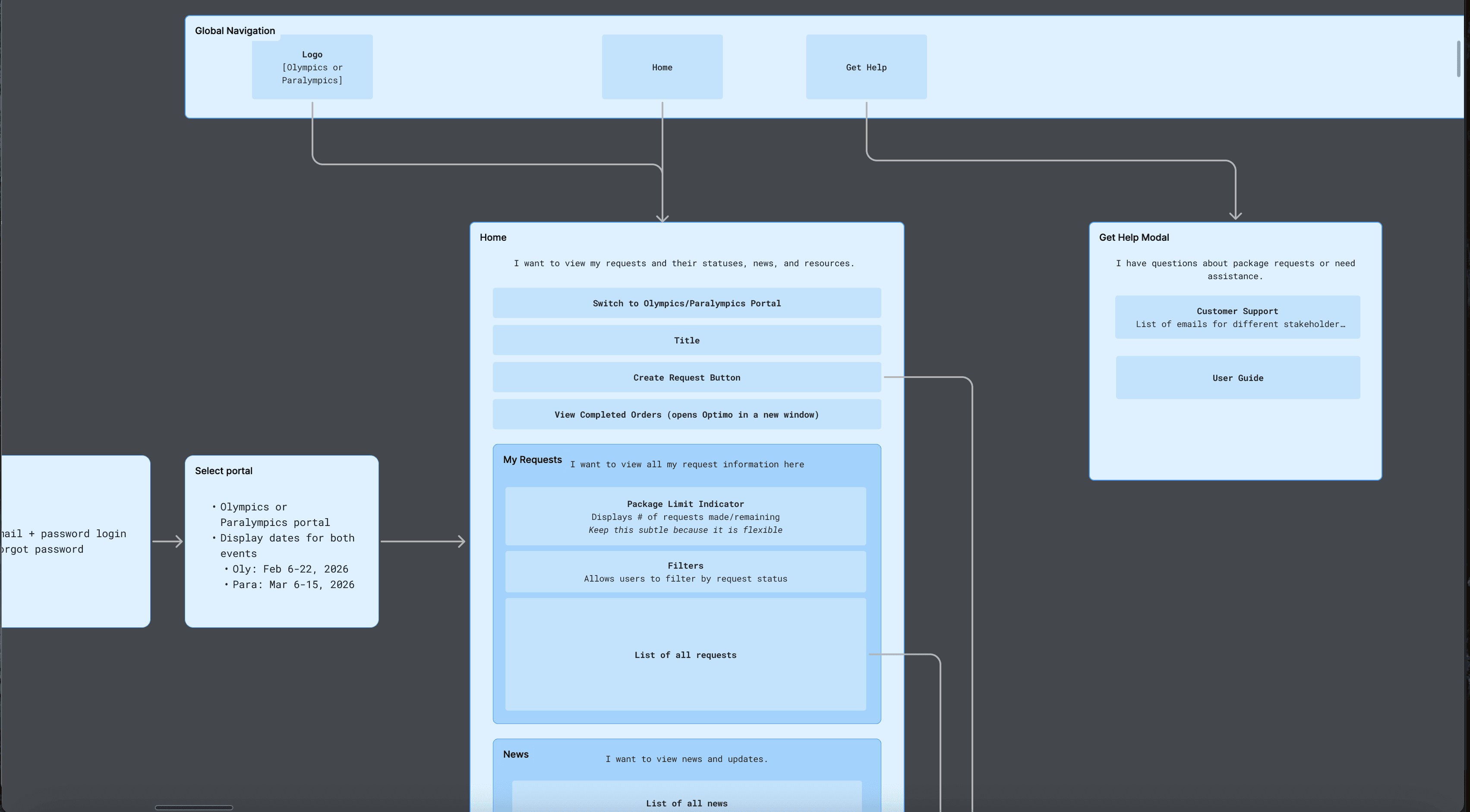
User Flows & Information Architecture
We mapped key user tasks based on product requirements and analysis of the legacy platform, then used those flows to inform the new information architecture. Rather than just redesigning screens, we focused on user goals and what elements were needed to achieve them efficiently.
Key flows we prioritized:
Browse packages with proper filtering & sorting
Create and manage multiple concurrent requests
Add packages to requests with correct configurations
Track request status through the approval workflow
Make changes to draft requests before submission
This foundational work became critical when business requirements shifted multiple times during development. Having clear user goals helped us adapt designs quickly.

DESIGN PROCESS
Homepage
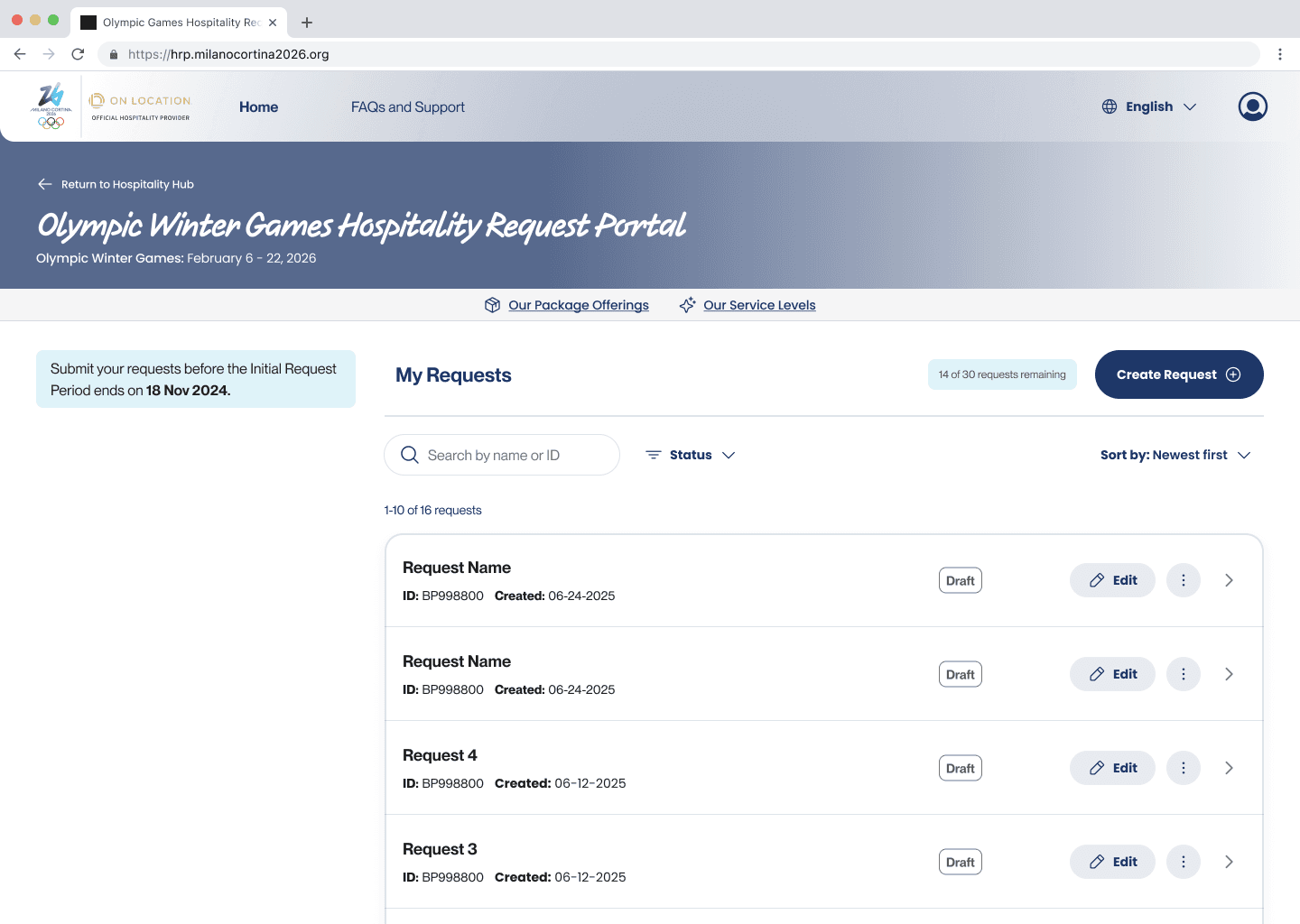
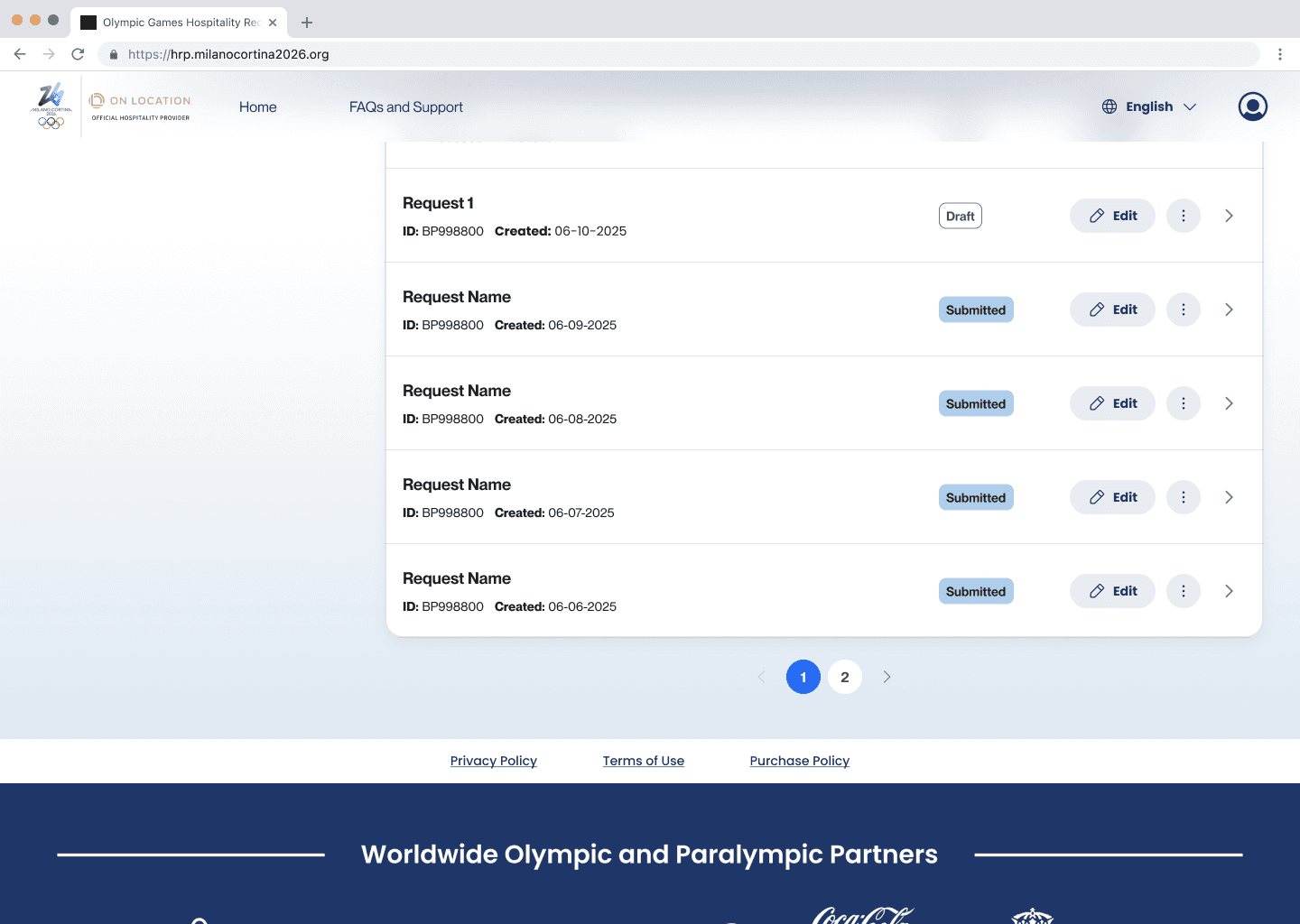
The homepage structure would inform the rest of the site's patterns. Our core goal was to help users easily track and manage multiple concurrent requests.
Design Decision: Pagination Over Infinite Scroll
This might seem like a small implementation detail, but it had significant implications for our users' mental model.
In consumer products, infinite scroll feels natural; users browse casually and want seamless discovery. But our users had a different workflow. They were managing dozens of requests for different internal teams, often returning to specific requests multiple times as they progressed through approval stages.
Infinite scroll would have made it difficult to return to a specific request; users would lose their place and have to scroll endlessly.
Trade-off: Added an extra click to navigate between pages. But this solved the more critical problems of findability and performance.
Other Critical Homepage Features
Dynamic request limit indicator — Shows remaining requests, disables "Create Request" when limit reached
Request list prominence — Status at a glance, quick actions from list view
Search, filter, sort tools — Essential for high-volume management
Status chips with hover details — Quick visual scanning with additional context
DESIGN PROCESS
Package Selection
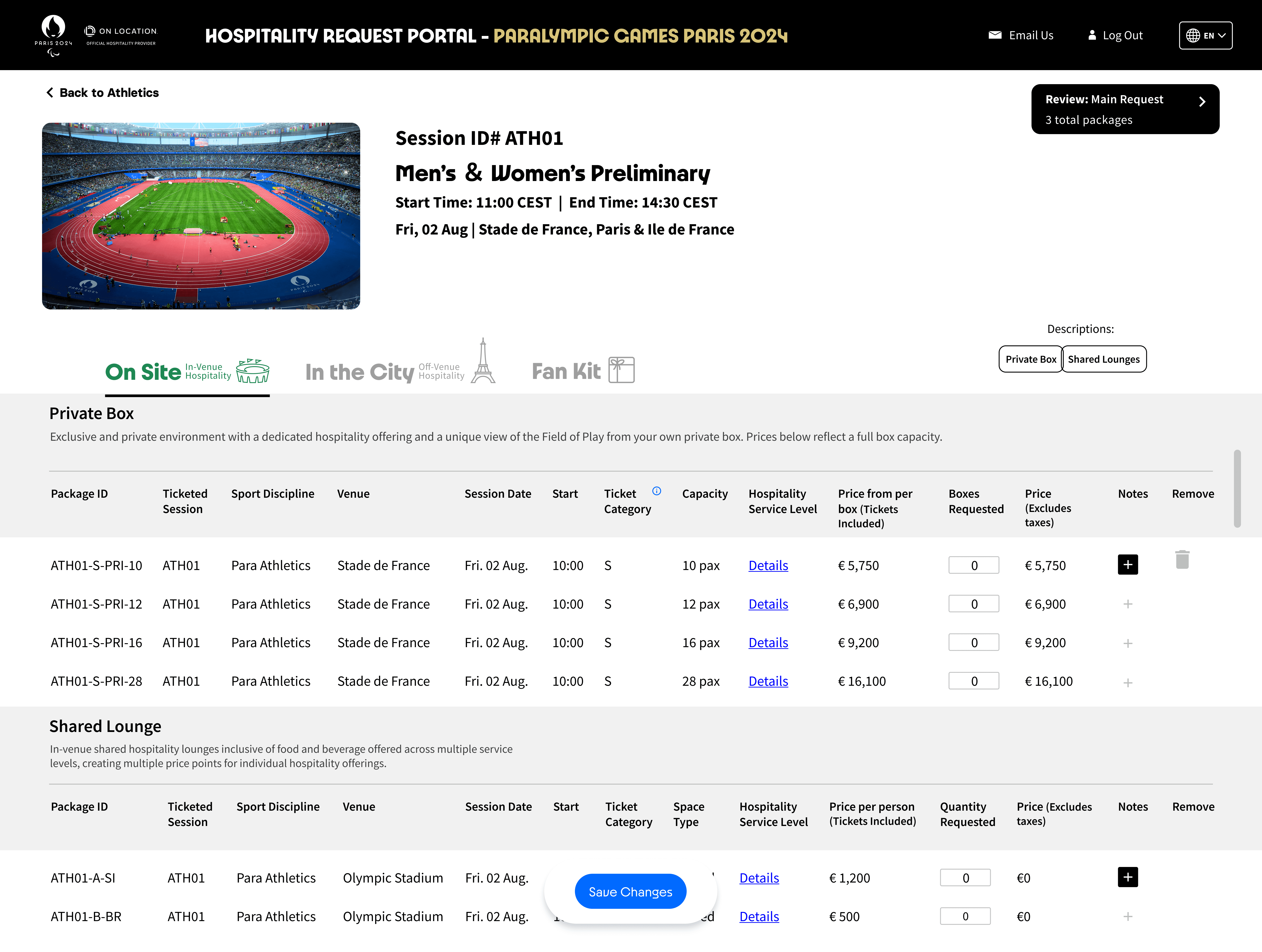
This was the most critical flow, where users browse packages, understand offerings, and add them to requests for approval. It was also where we experienced the most dramatic business pivots.
Original Requirement
Sports packages would follow complex sales rules where one selection affected available options (like configuring a car). We designed a progressive "Build Your Own" flow with detailed progress tracking.


Business Pivot 1
Most sales rules removed. Shifted toward pre-made packages with fixed configurations. We redesigned for simpler browsing and selection.

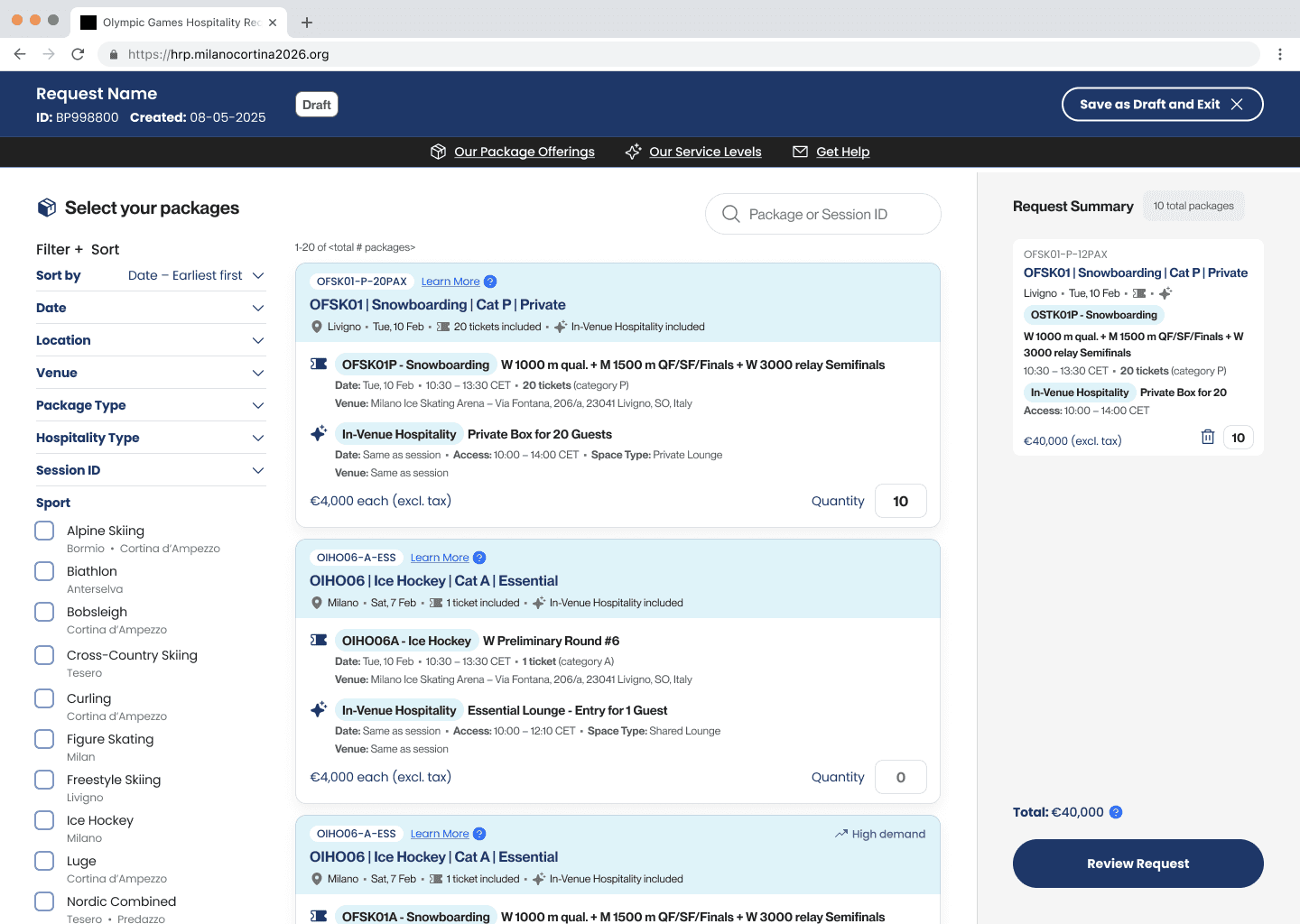
Design Challenge: Editor Mode
Standard e-commerce cart patterns didn't work. Our users created multiple concurrent requests for different internal teams. Solution: "Editor mode" triggered by "Create Request"—users curate packages for one specific request, keeping work isolated rather than mixing everything in a shared cart.
Business Pivot 2
Reintroduced "Build Your Own" alongside pre-made packages. Added "Package Type" selection at the beginning: both paths fed into the same request review process.


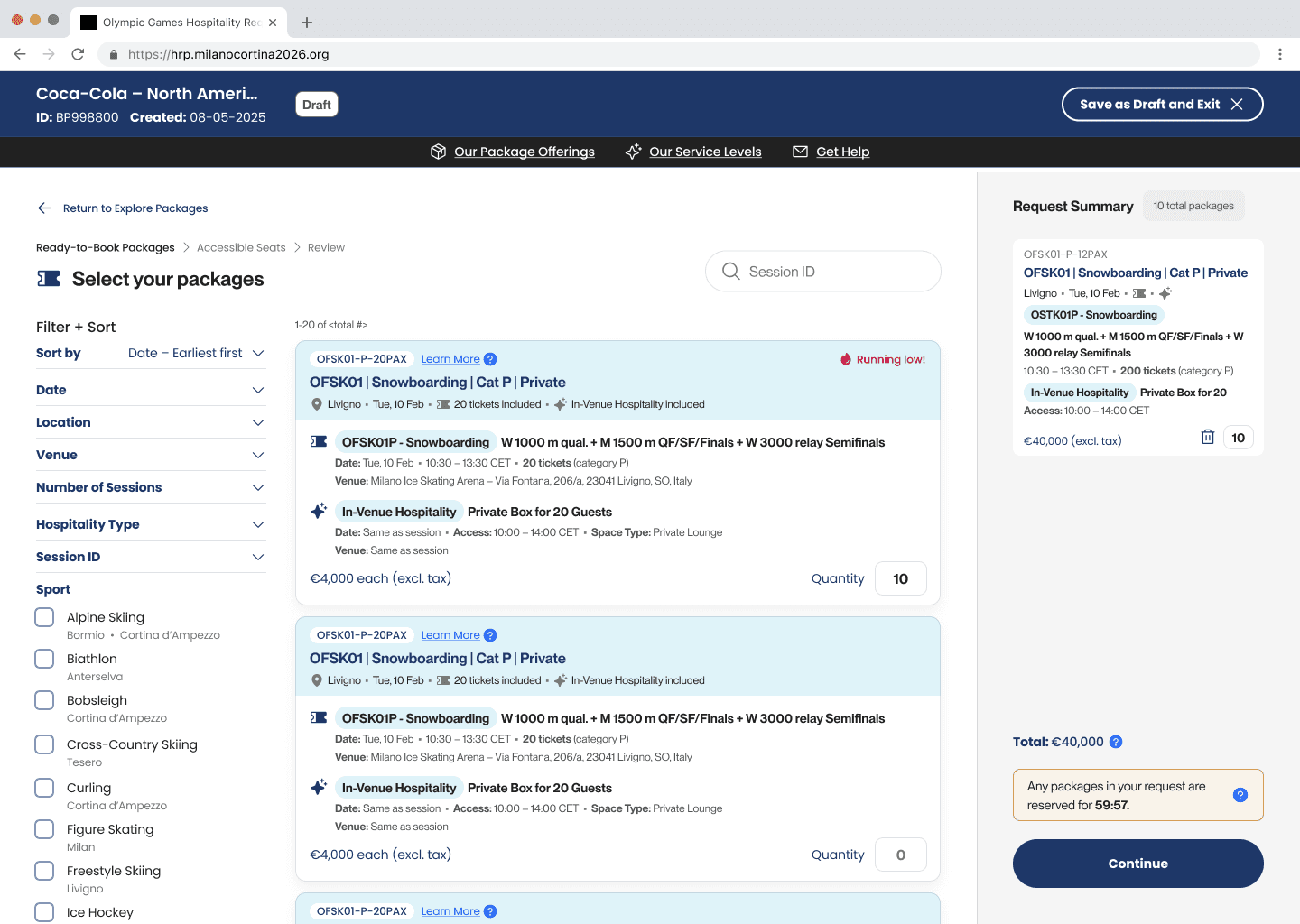
Technical Trade-off: Quantity Editing
Originally, we designed quantity editing on the "Review Request" page for last-minute changes. But this created complex validation challenges with pricing, availability, and interdependencies. To meet the launch deadline without compromising core functionality, we removed quantity editing from review—users now return to package selection to make changes. Trade-off: Reduced flexibility, but simplified validation and ensured data consistency.
Exploration

Final Design

DESIGN PROCESS
Design System
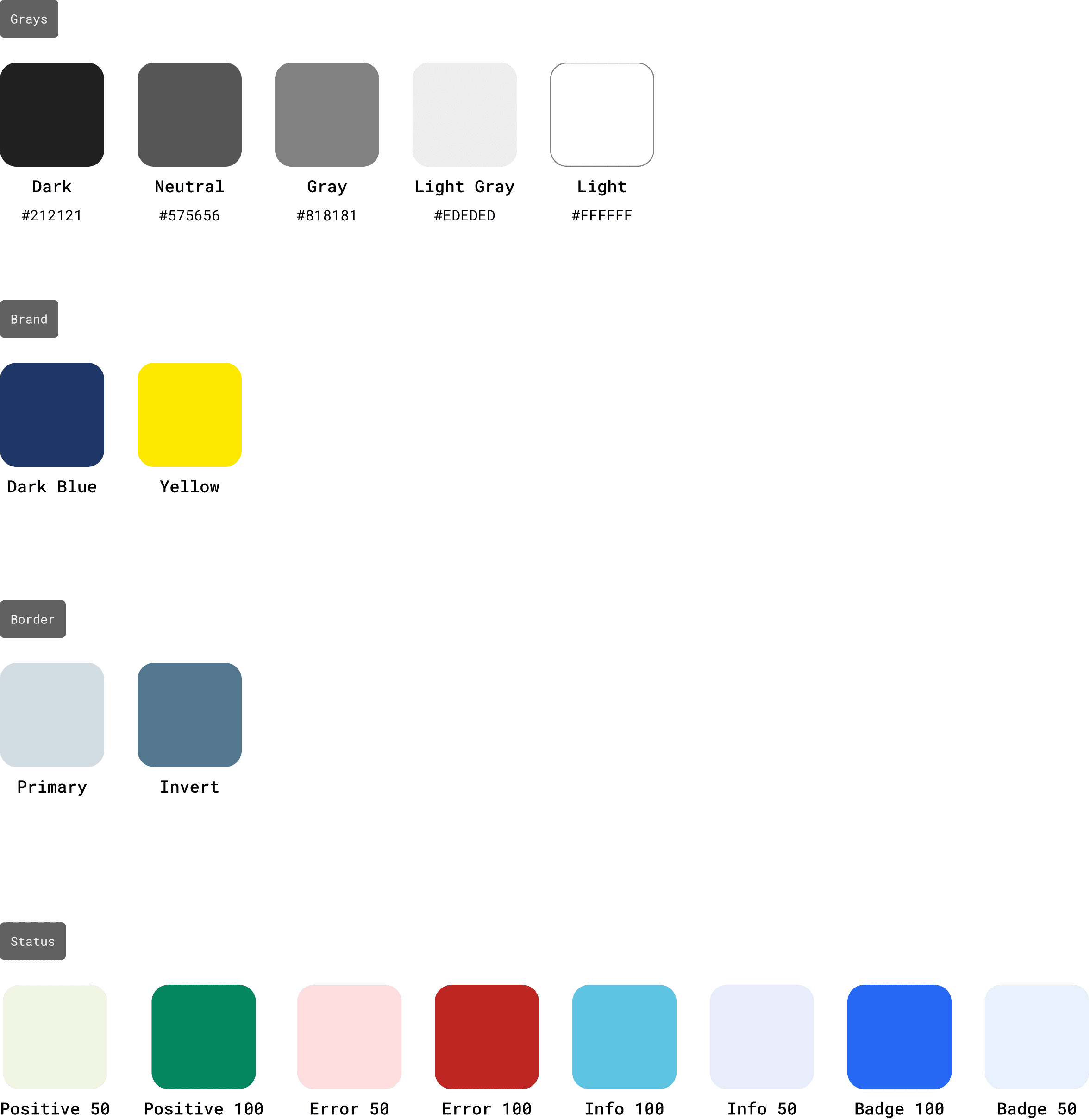
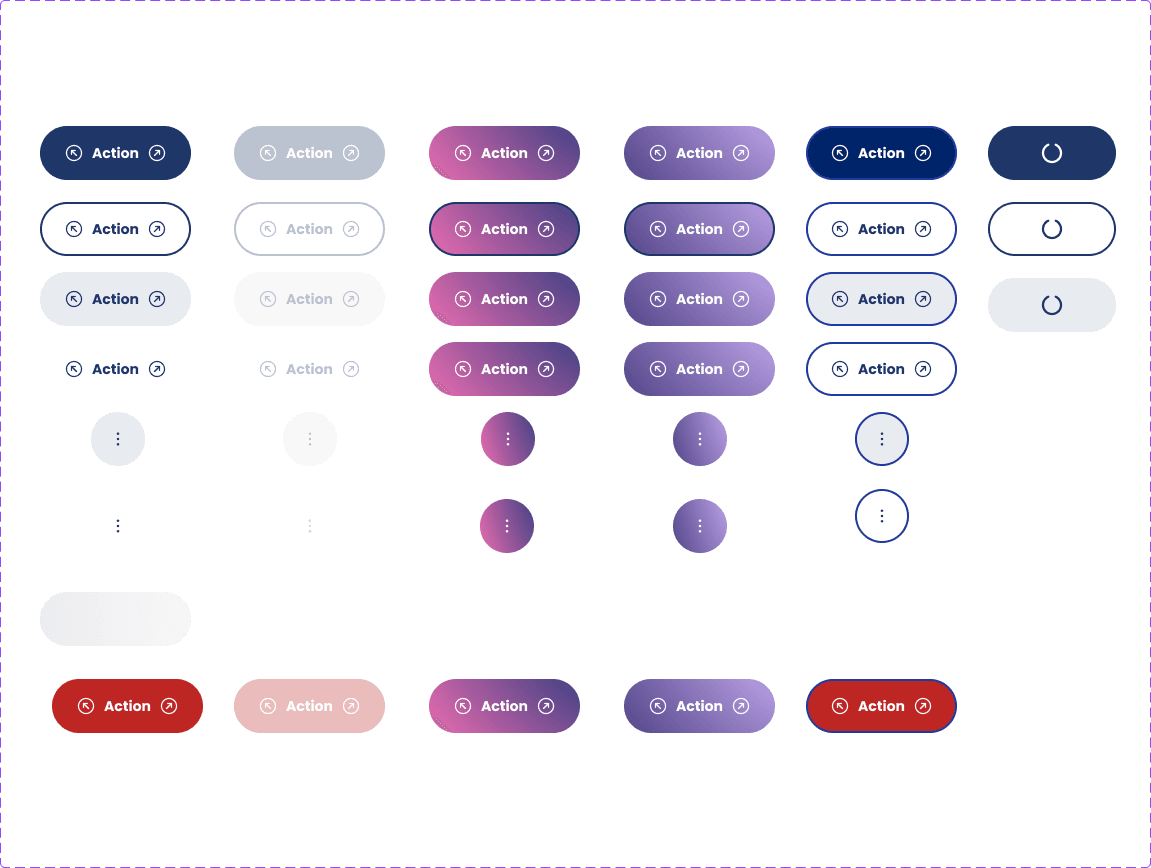
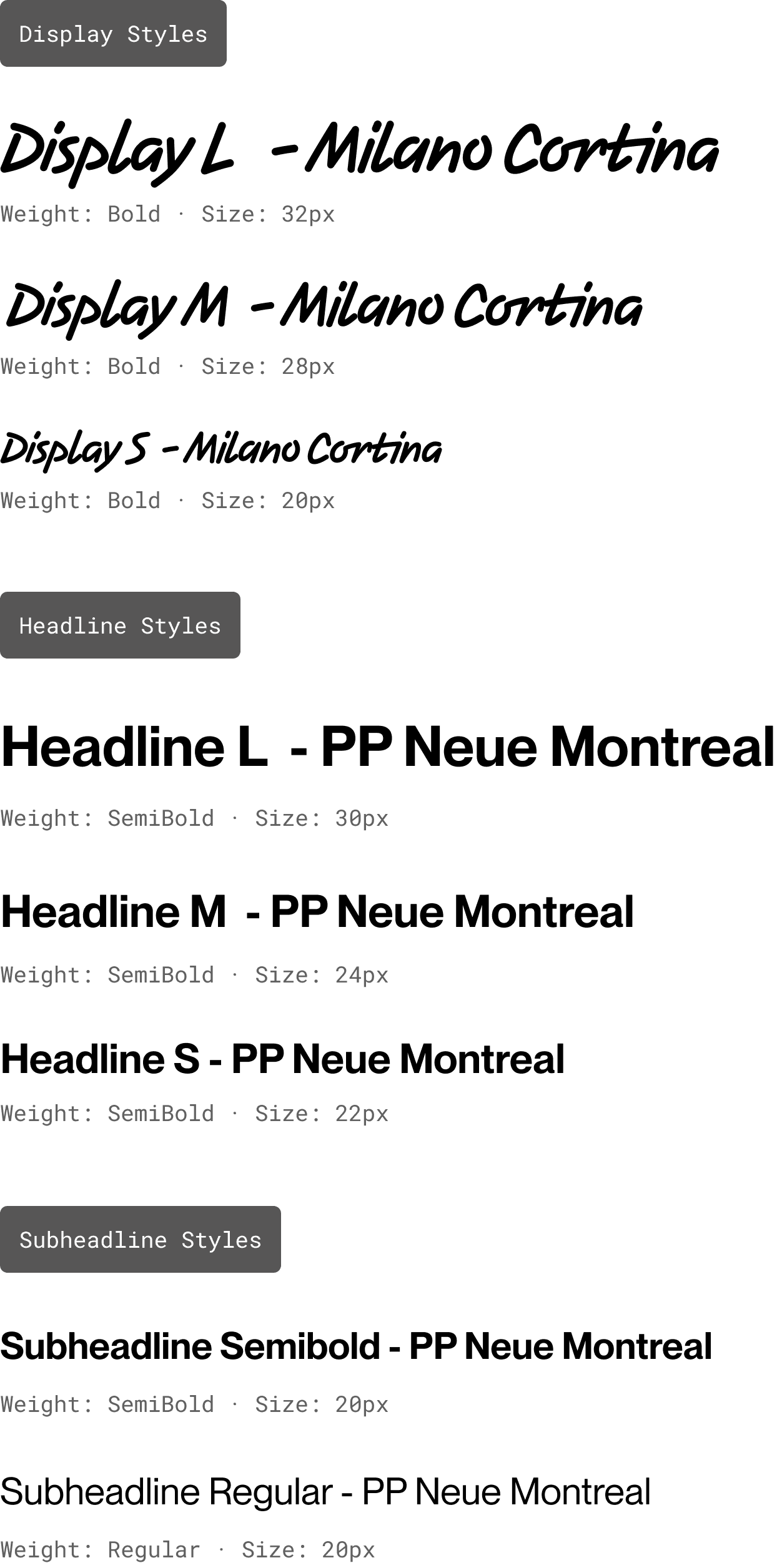
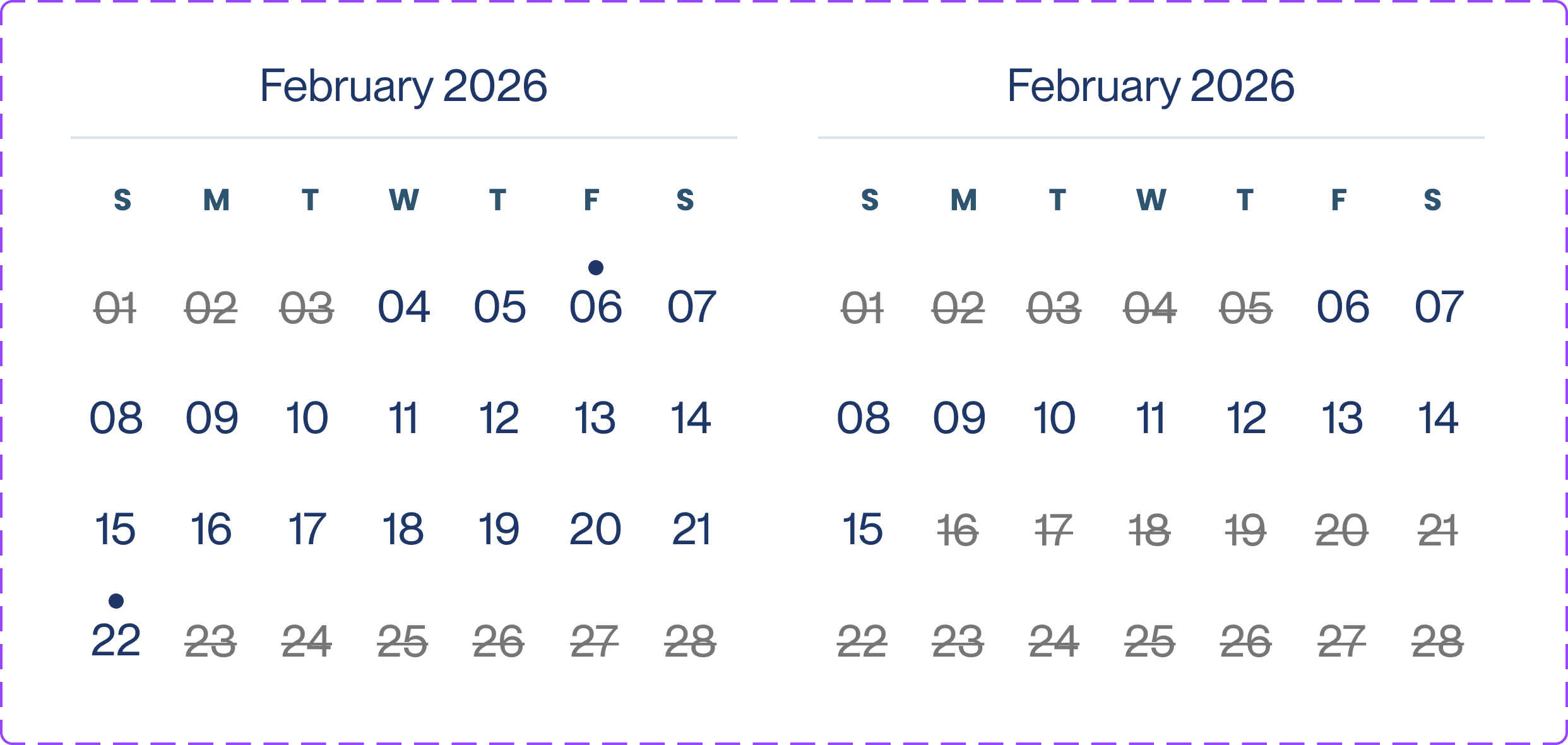
We created the design system from brand guidelines provided by the Olympic Games global brand team, then built components that could scale for Milan 2026 and future Olympic Games. Note: Although we had to adhere to some branding that wasn't accessible, I tried to mitigate it by minimizing its use as much as possible in the interface.
What we built:
Typography system — Hierarchical scale, responsive sizing
Color palette — Primary, secondary, semantic colors for status
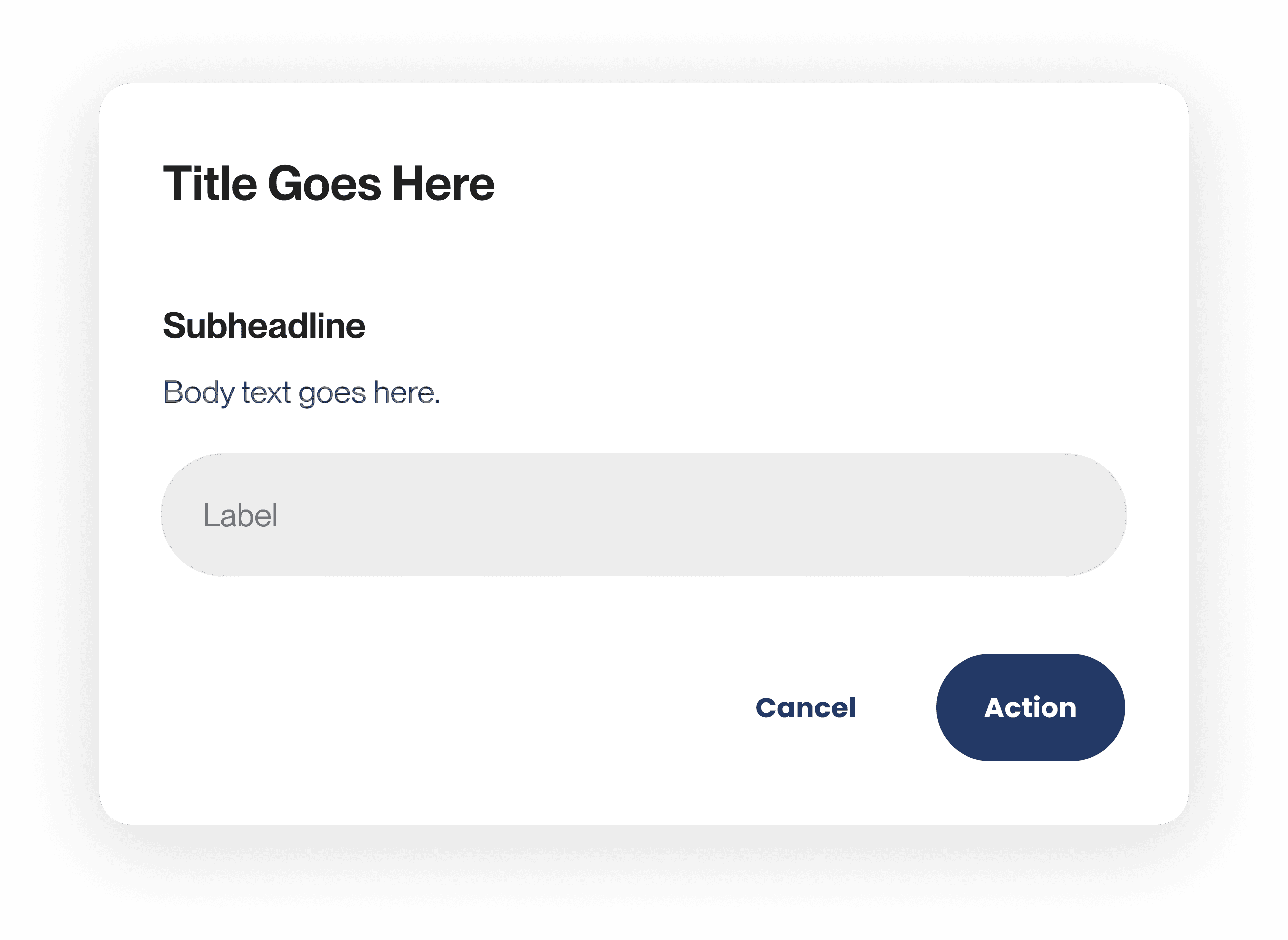
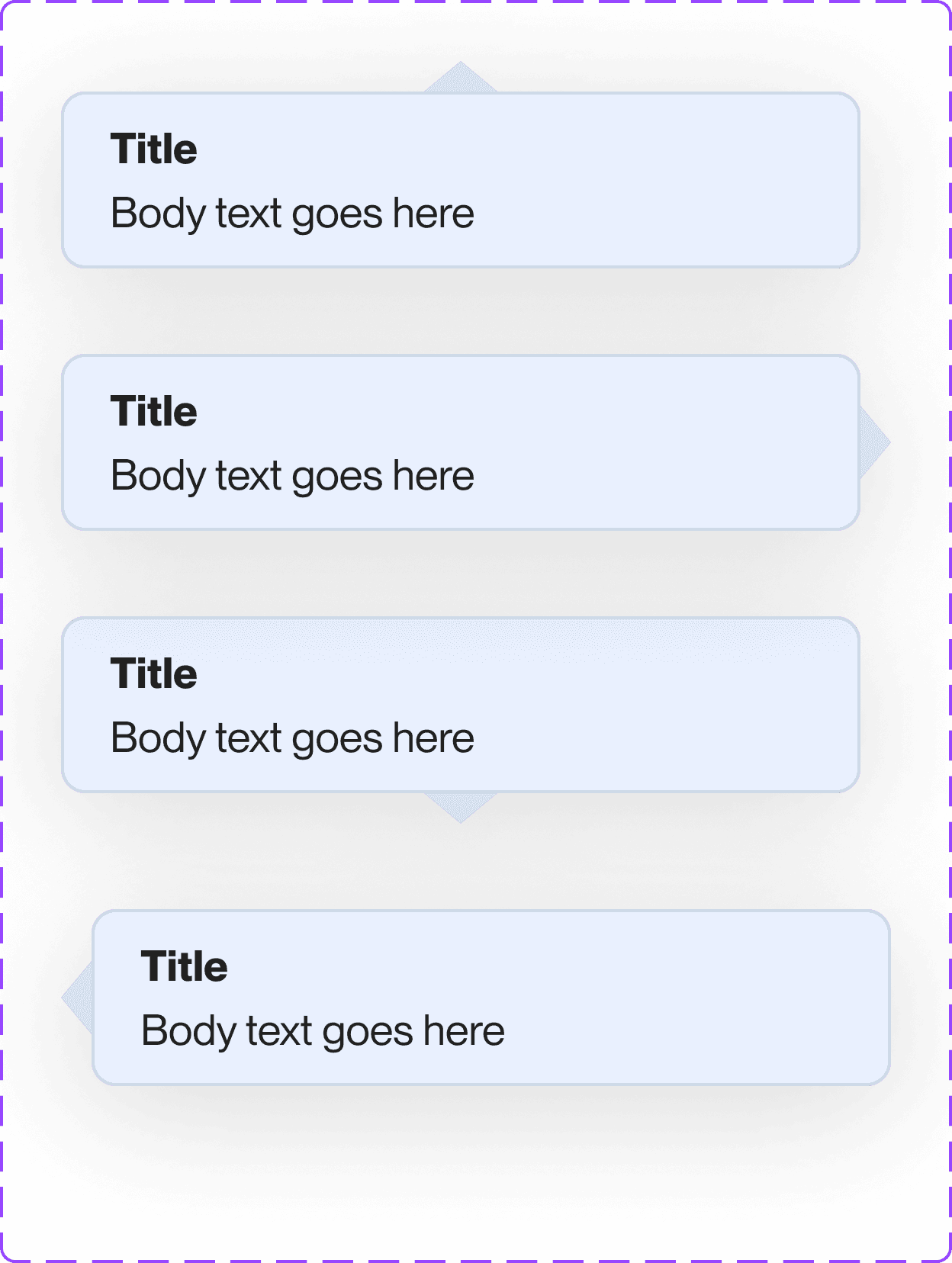
Component library — Buttons, forms, status chips, dialogs, tables, navigation, and more
Impact
Results
14.7% conversion rate — Achieved from launch, representing successful package requests. B2B platforms with complex flows typically see 1-4%.
Design foundation for ecosystem — Patterns adopted across Guest Management, Seat Assignment, Accommodation Assignment, Onsite Services.
Scalable system architecture — Handled 2 major business pivots during development, extends to LA 2028.
Reflection
What I Learned
Enterprise platforms need to flex, not break
Enterprise platforms, especially B2B tools serving complex procurement workflows, need to absorb constant change.
I learned to design for "unknown unknowns": building component systems flexible enough to handle requirements we didn't have yet, while staying simple enough for non-technical users.
Advocacy is part of the design job
My most valuable contributions to HRP weren't just the interfaces I designed; they were the constraints I pushed back on and the trade-offs I helped the team navigate thoughtfully.
When business stakeholders focused purely on technical feasibility ("Can we build this in time?"), I consistently asked, "But will users understand this?"
Not all design work ships as originally intended
We spent significant time designing login flows that never launched because the business consolidated authentication mid-project. That work wasn't wasted because it informed the centralized system. But it taught me to hold designs loosely.
In enterprise environments with shifting priorities, beautiful work sometimes gets cut, delayed, or reimagined. You have to stay adaptable and find ways to influence outcomes even when your original designs don't ship.